
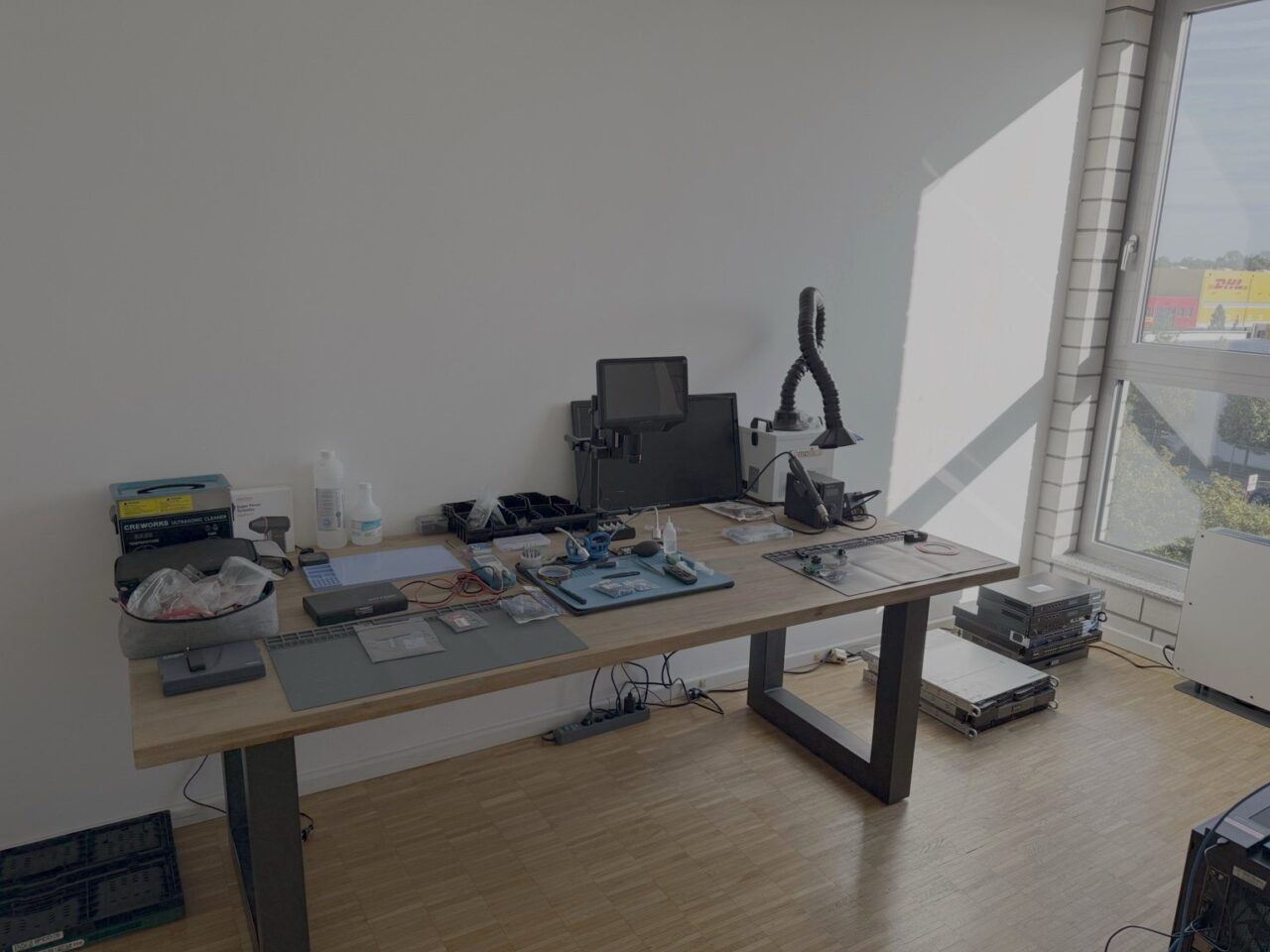
The laboratory at a glance
- Location: Horbeller Str. 31, 50858 Köln
- Areas of work: Forensic backup of data storage media, mobile forensics, examination of electronic components and hardware, data recovery at the cleanroom workbench
- Services provided on this basis: IT forensics, mobile forensics, data recovery, scanning smartphones for malware, expert reports
- Physical security: An alarm system and continuous video surveillance (24/7) of the designated areas of the building, providing an additional level of protection for premises, equipment and test samples
- Responsible: Risto Popovski, IT forensics expert with TÜV Rheinland certifications (IT Forensic Windows Expert, IT Forensic Mobile Expert, valid until 02/2027) – Reference on Certipedia
Forensic backup of data storage media
As a rule, a forensic investigation begins with the creation of a backup. Where technically feasible, the original data carrier is protected against write access and a forensic backup is first created. Further analysis is then generally carried out on the basis of this backup or a working copy created from it.
Why write protection is important for original data media
Simply connecting a storage device to a standard computer can alter data. For example, the operating system creates files or updates timestamps. We therefore use hardware write blockers for supported storage media. These allow read access whilst preventing unintentional write access to the original medium that is connected. This makes it possible to verify later which version of the data the investigation is based on.
Controlled backup and integrity checking using hash values
Specialised forensic imaging systems are available for the backup process. We calculate hash values for each backup. This is a kind of digital fingerprint: even the slightest change to the data results in a different value. If the hash values match, this proves that the copy under examination corresponds to the backed-up data.
Find out more: Windows Forensics · Writeblockers in Linux forensics
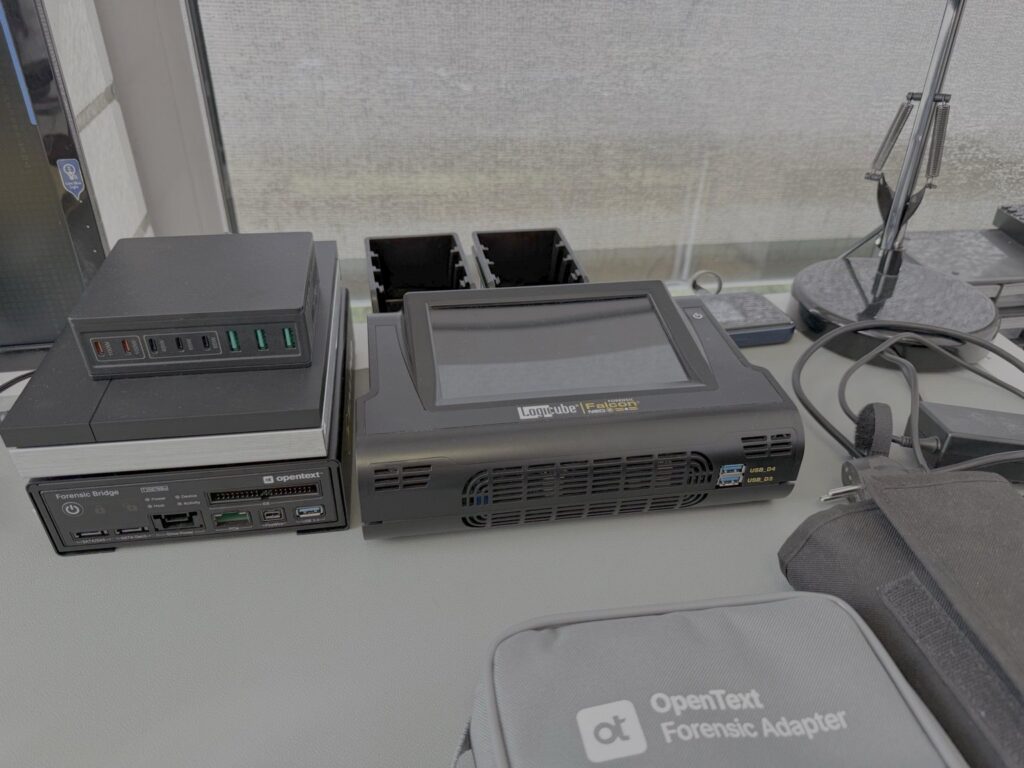
Mobile Forensics Workstation
We examine smartphones and tablets at a dedicated workstation in the laboratory.
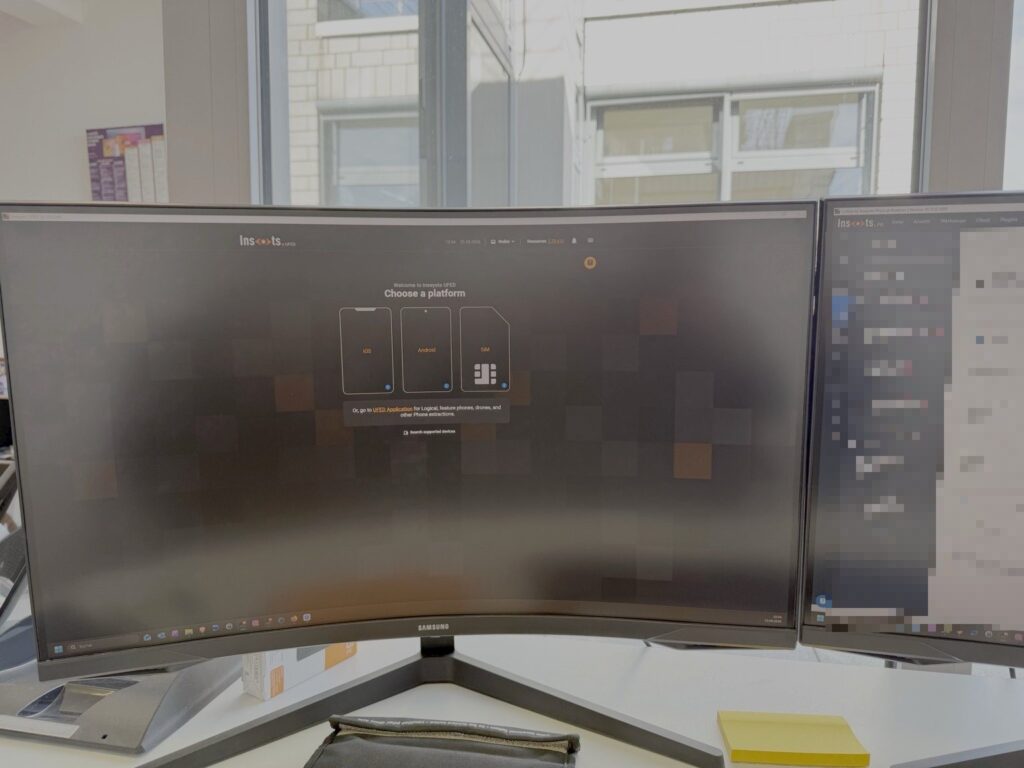
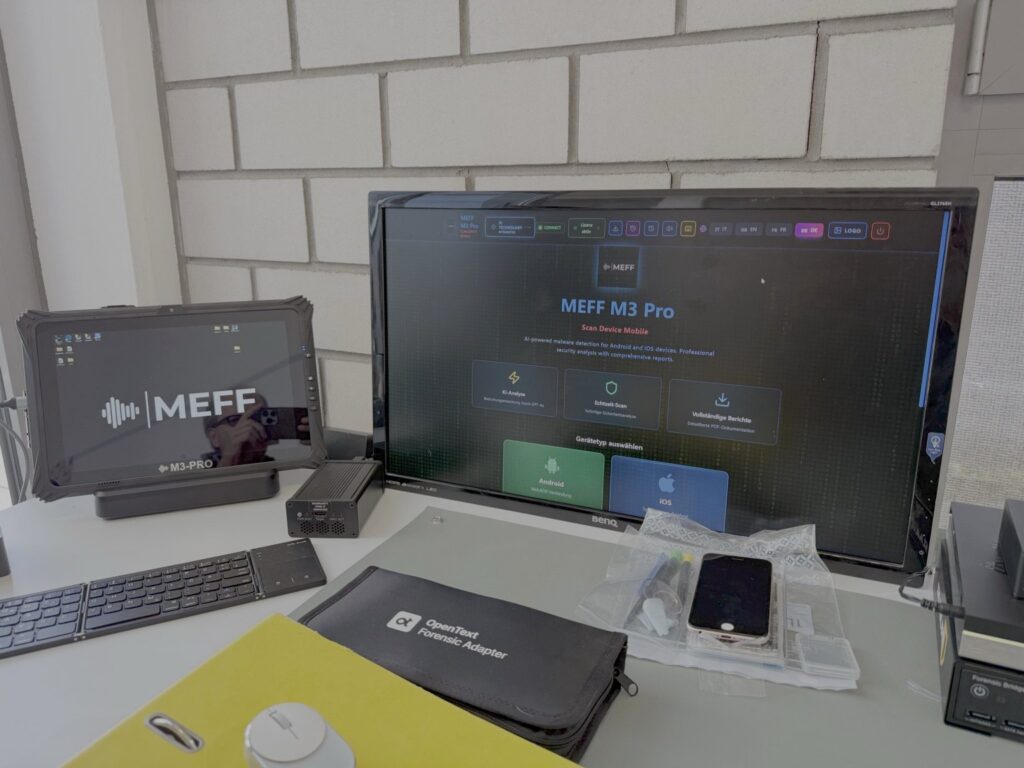
Network isolation in line with internationally recognised standards
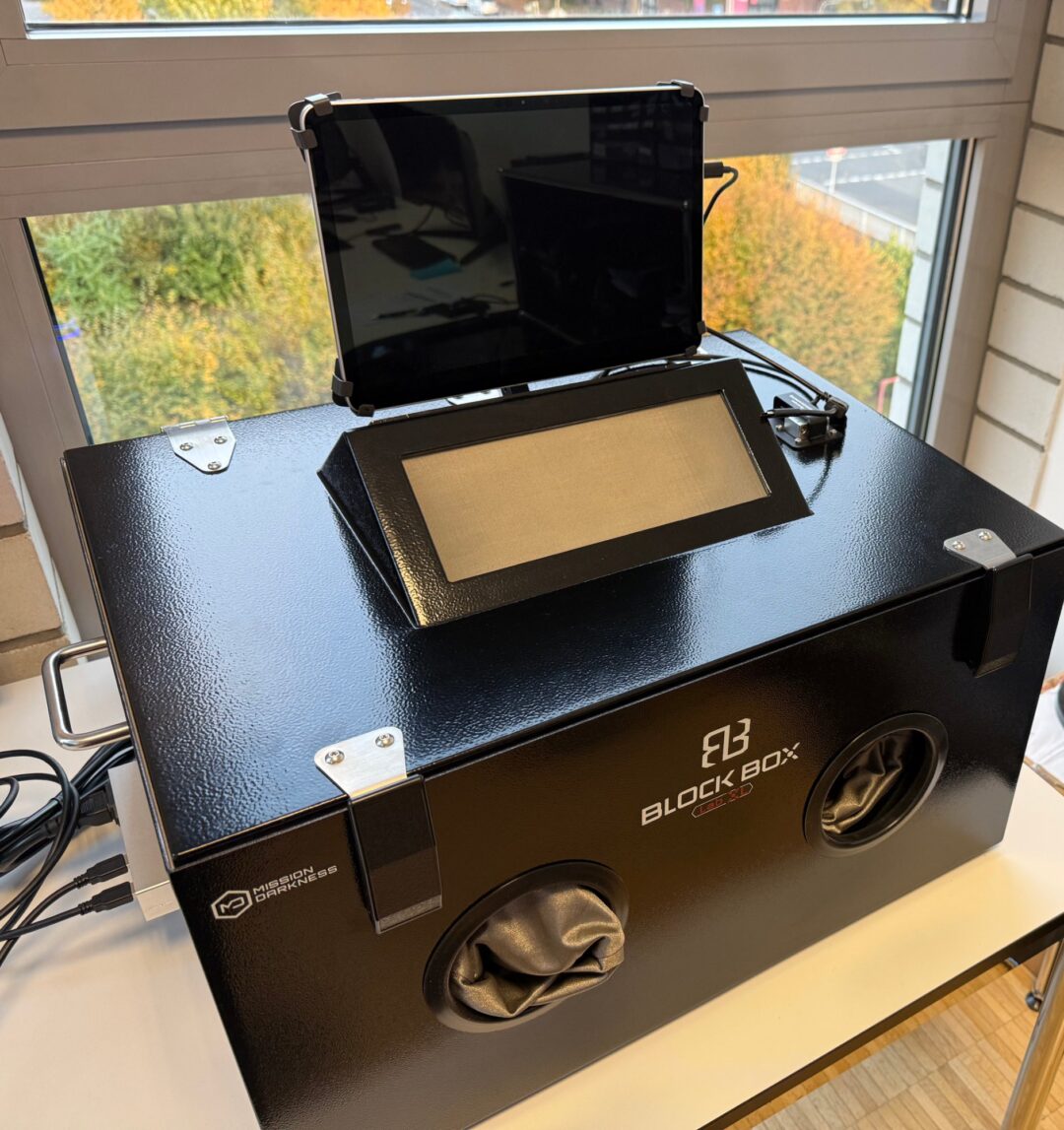
We acquire and examine mobile devices in a shielded workstation (BlockBox Lab XL, Mission Darkness). It disconnects the device from mobile networks, Wi-Fi and Bluetooth. This prevents incoming data or remote access such as remote wiping from altering the data after the device has been taken over. Via glove ports and filtered power and data lines, the device remains operable and can be supplied with power and forensically acquired.
In doing so, we follow the recommendations of international guidelines on mobile forensics, in particular NIST SP 800-101 and the SWGDE best practices. We have tested and documented the effectiveness of the shielding.
Supplementary visual documentation of examination activities
The shielded work chamber is equipped with an integrated video camera with which examination activities on mobile devices can be recorded while they are being processed. In this way, manual operating steps, changes in the device state and individual work steps in particular can be documented in addition to the written examination log. The recording takes place within the shielded environment, so that it does not need to be opened merely for documentation purposes.
Where such recordings are made, they can be assigned to the respective examination and retained as supplementary documentation while preserving their data integrity.
Why there isn’t a single method that works for all smartphones
The data that can be recovered depends on several factors: the manufacturer and model, the operating system version, the security status (locked or unlocked, encrypted) and the specific issue at hand. Depending on the initial situation, different extraction and analysis methods may therefore be considered. For each investigation, we document which method we use and what its limitations are.
Malware scanning and monitoring
If spyware, stalkerware or other malware is suspected, we scan Android and iOS devices using specialised analysis systems. A clean result does not mean that a compromise can be ruled out. That is why we explain the significance of each result.
Find out more: Mobile forensics · Have your smartphone checked for malware · Mobile Malware Analysis
Electronics and hardware testing
If a device can no longer be read normally
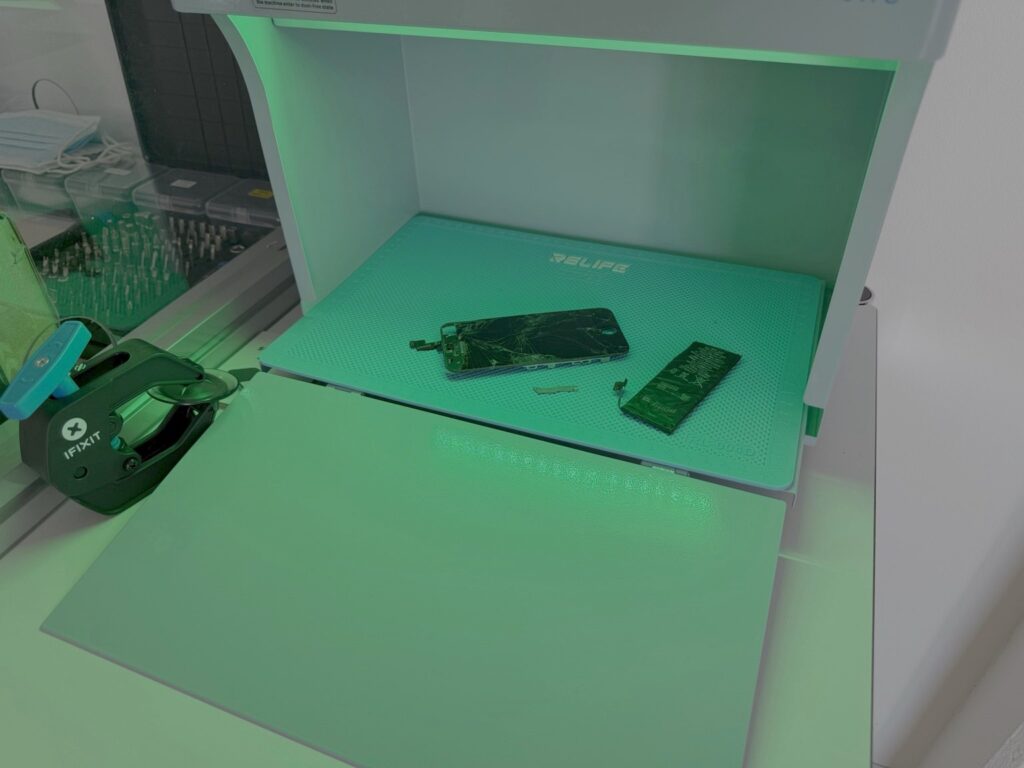
Water damage, breakage, faulty components or a device that no longer starts up: in such cases, it is often not possible to back up data via the standard ports. In such instances, work must first be carried out on the hardware to make it possible to retrieve the data at all.
Microscopy, soldering and rework techniques
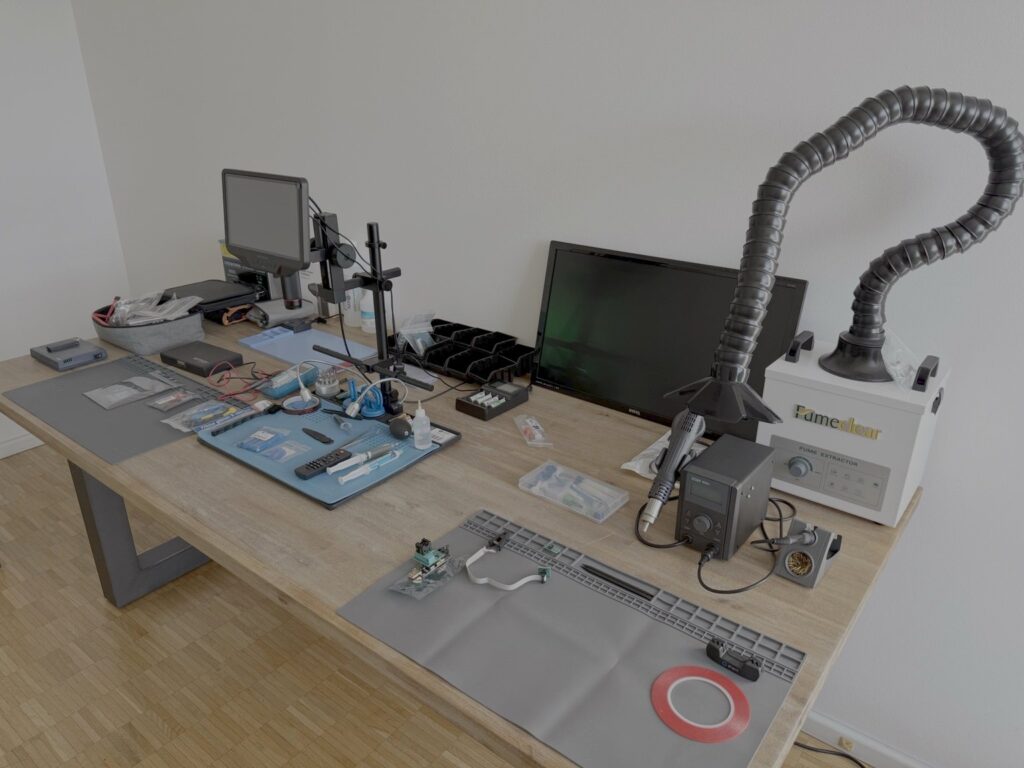
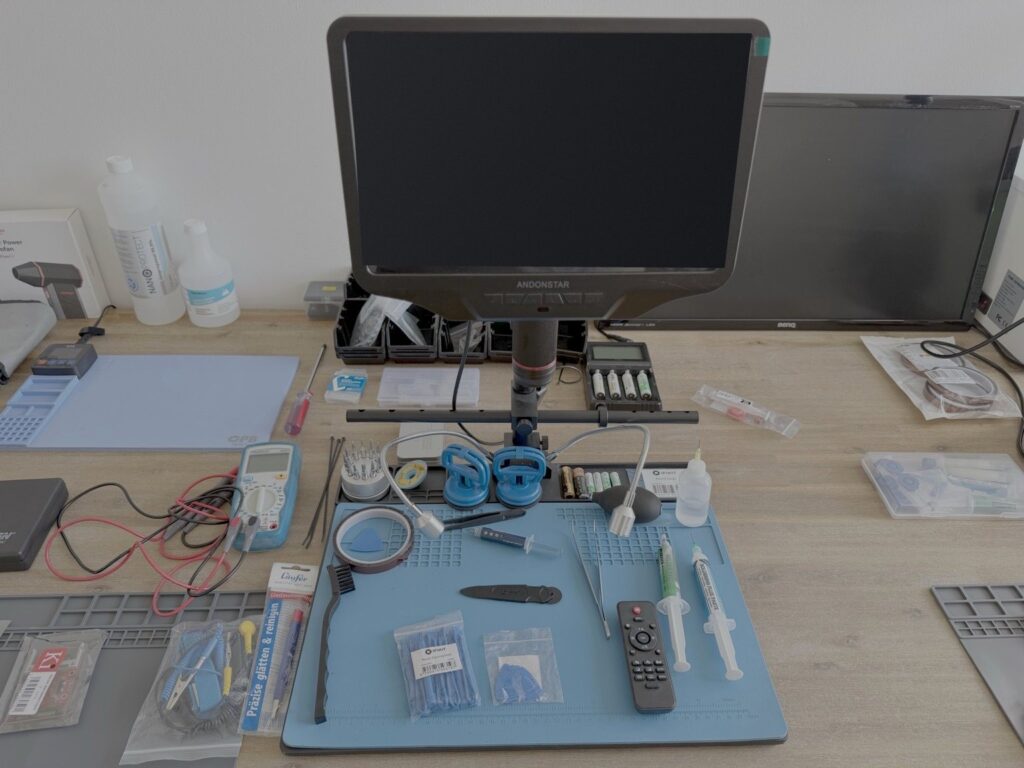
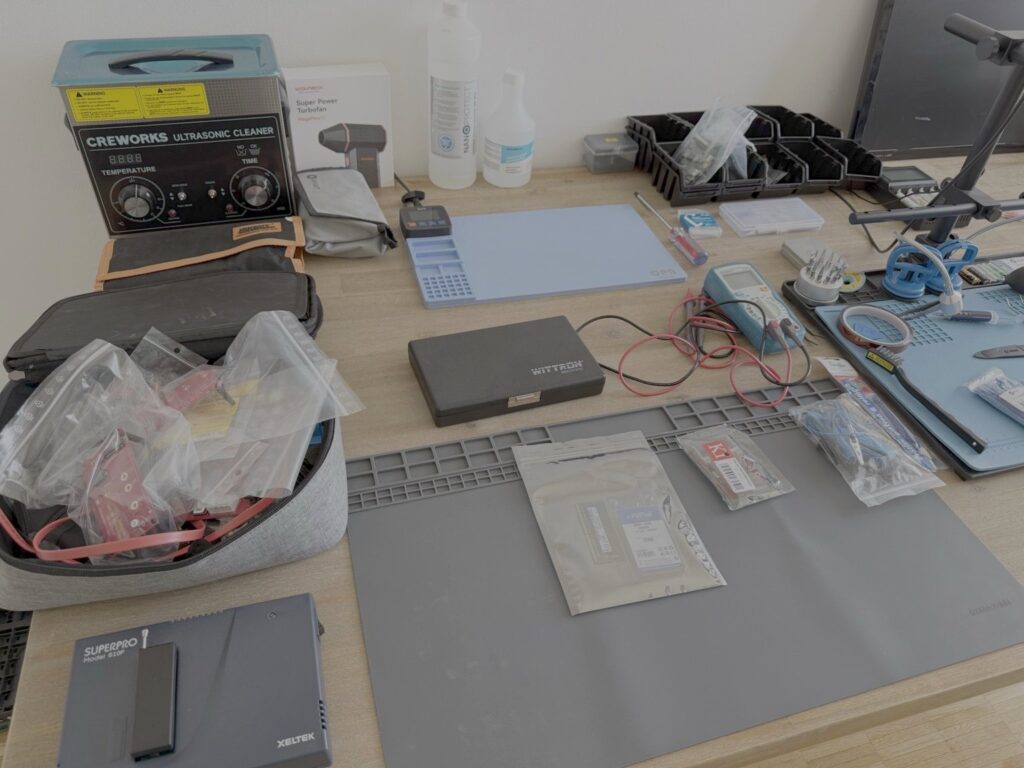
Many components on modern circuit boards can only be reliably assessed and worked on under magnification. The electronics workstation is equipped with a digital microscope, soldering and rework equipment with solder fume extraction, and ESD-protected work surfaces. The ESD surfaces protect sensitive electronics from electrostatic discharge.
Hardware-based access methods: JTAG and chip-off
If a device cannot be accessed via its normal connections even after hardware modification, hardware-based methods may be considered. With JTAG, the memory is accessed via test and inspection connectors on the circuit board; with chip-off, the memory chip is desoldered and read out using a programmer. We carry out both procedures at our electronics workstation. Whether they are appropriate depends on the device, the memory architecture and the security mechanisms in place. In many modern smartphones, the data is encrypted and tied to the device’s hardware. Memory read directly in this way may provide raw data, but not necessarily usable user data. We will discuss with you beforehand whether such a method is likely to be successful in your specific case.
Data recovery at the cleanroom workbench
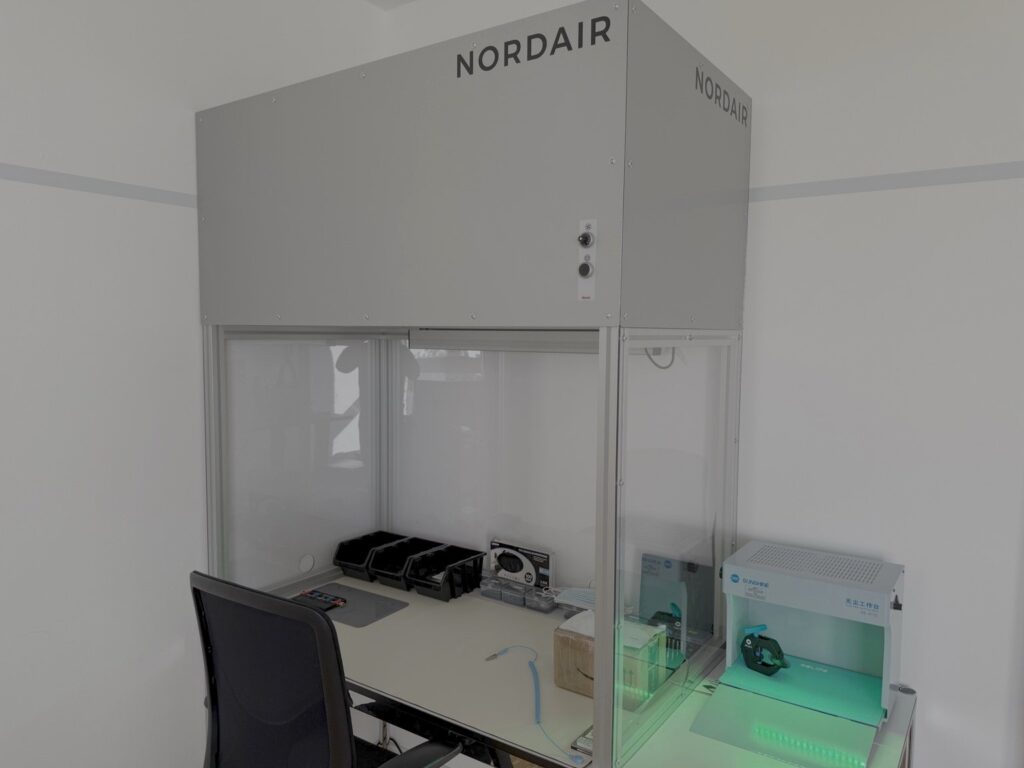
Some work on data storage media must be carried out in a dust-free environment. A cleanroom workbench is available in the laboratory for this purpose. It supplies the work area with air that has been purified by a Class H14 HEPA filter. According to EN 1822, filters of this class remove at least 99.995% of the particles in the size range that is most difficult to filter out. This is a controlled workstation for open data storage media and sensitive electronic components, not a classified cleanroom.
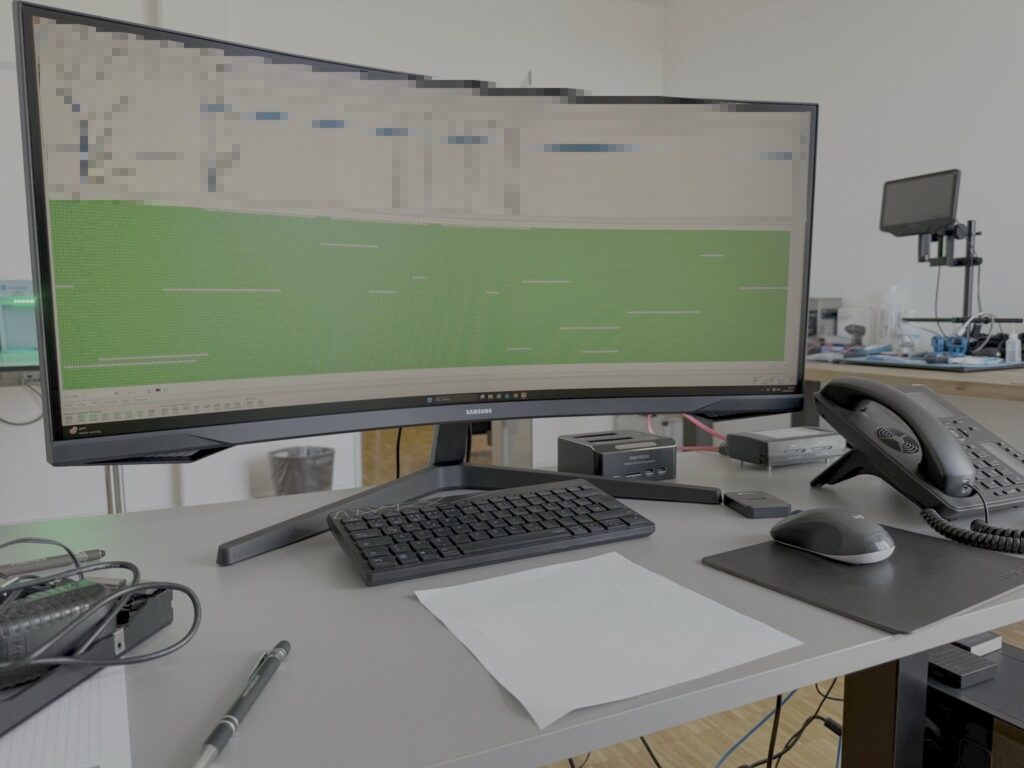
We then examine damaged storage media at our analysis workstation using specialised data recovery software.
Find out more: Data recovery in Cologne
Physical security of laboratory and business premises
Our IT forensics laboratory and the areas designated for the storage of evidence are protected by a multi-tiered security system. This includes an alarm system and continuous video surveillance (24/7) of the designated areas of the building.
The purpose of surveillance is to protect the premises, the equipment and data storage media kept there, and to detect unauthorised access. Where necessary for a specific procedure and where legally permissible, existing recordings may help to trace the timing of access, visits and the handover of equipment.
Access to the records is restricted to authorised persons. Processing, storage and deletion are carried out for specific purposes in accordance with the applicable data protection regulations.
The building security measures complement our case-specific documentation. Together with handover reports, evidence labelling, hash values, inspection reports and – in the case of suitable mobile inspections – the internal camera of our shielded BlockBox, this creates a multi-stage traceability process from the moment a device is received right through to the final preparation of the results.
Handling of investigation material and evidence
In investigations relevant to evidence, it is not only the result that counts, but also the process leading up to it. Depending on the brief, we document, amongst other things:
- Receipt and condition of the test samples
- Handover and processing stages (chain of custody)
- the security procedures used
- Hash values or integrity checksums of the backups
The material under investigation remains under our control throughout the entire process. We do not pass it on to third parties. We provide every client with a written non-disclosure agreement (NDA), regardless of whether they are a private individual, a company, a law firm or a public authority.
Find out more: Expert report on smartphones
What this means for your examination
- Private individuals: Equipment and data are processed in our own laboratory, not by various service providers. IT Forensics for Private Individuals
- Solicitors and criminal defence lawyers: Backups with write protection and hash values, together with documented procedures, ensure that findings can be verified. IT Forensics for Lawyers
- Company: Data storage media, computers and mobile devices involved in an incident can be secured and examined in one place. IT Forensics for Businesses
- Public authorities and courts: Documentation, transparent procedures and the integrity of the evidence are of paramount importance. Services for public authorities
Frequently asked questions about the laboratory
Will my devices be passed on to external laboratories?
No. We do not pass on test samples to third parties. They remain in our laboratory in Cologne throughout the entire processing period.
Will I be given a confidentiality agreement?
Yes. We provide every client with a written confidentiality agreement (NDA).
Can I hand in equipment in person at the laboratory?
Yes, by prior appointment. Alternatively, we can post the items.
Can data be read from any device?
No. Whether and to what extent a backup can be made depends on the device, its condition and its security status. We will clarify this before the examination begins.
Why are you showcasing your laboratory?
So that you can see, before placing your order, where and how your test samples will be processed.
Request a survey
Please give us a brief description of the device and the issue. We’ll let you know what steps make sense and where the technical limitations lie.